

Setup
Get your keys from the Langfuse dashboard → Settings → API Keys.Install the optional dependencies:
Usage with Agent / Task
Everyagent.do() or agent.print_do() (including async versions) call is automatically traced to Langfuse when you pass instrument=langfuse.
Minimal — Keys from Environment
- Agent
- AutonomousAgent
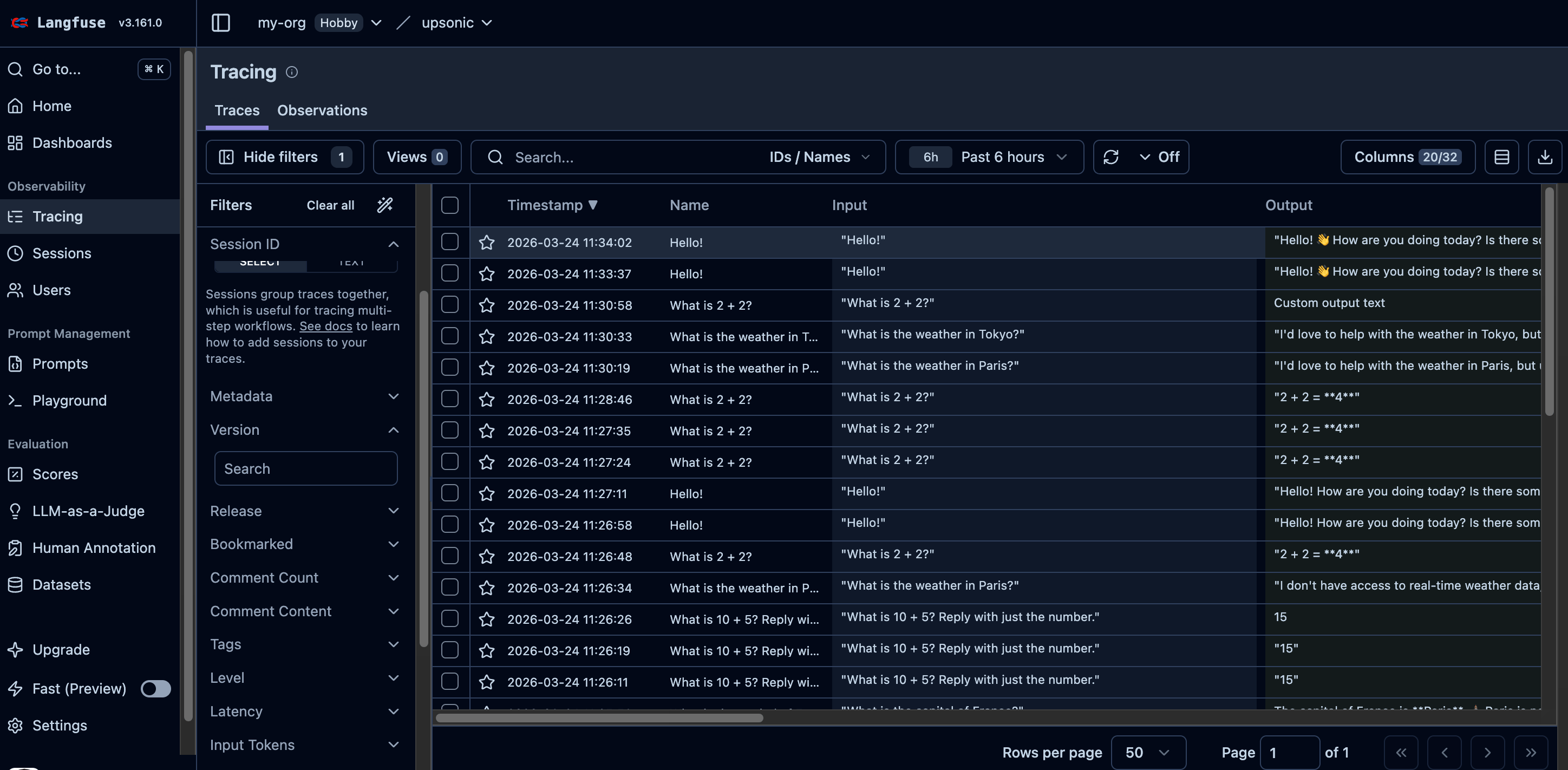
Langfuse trace overview with input, output, and other metrics
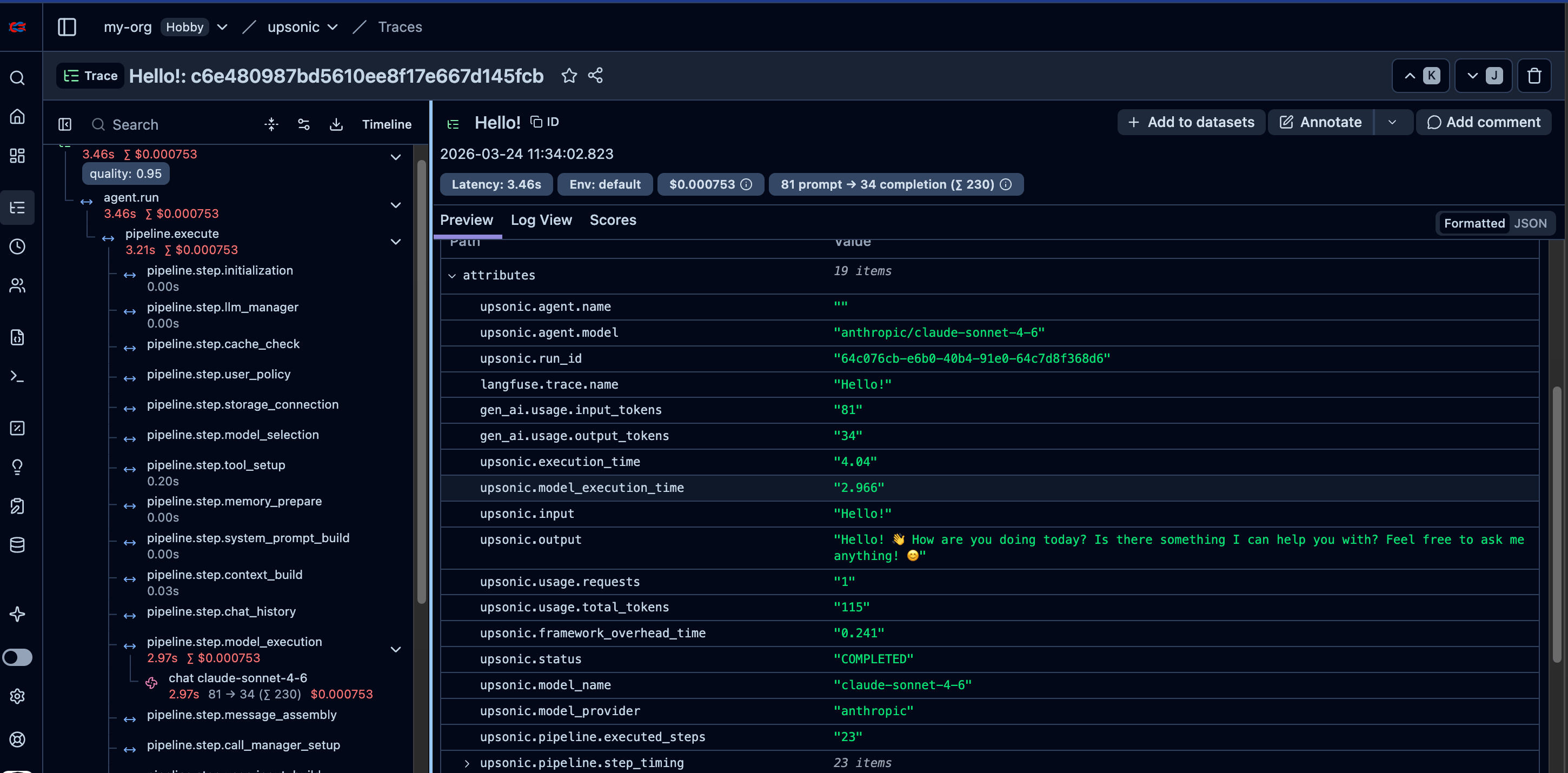
Langfuse trace detail view with spans and metadata
Full Configuration with Session & User Tracking
- Agent
- AutonomousAgent
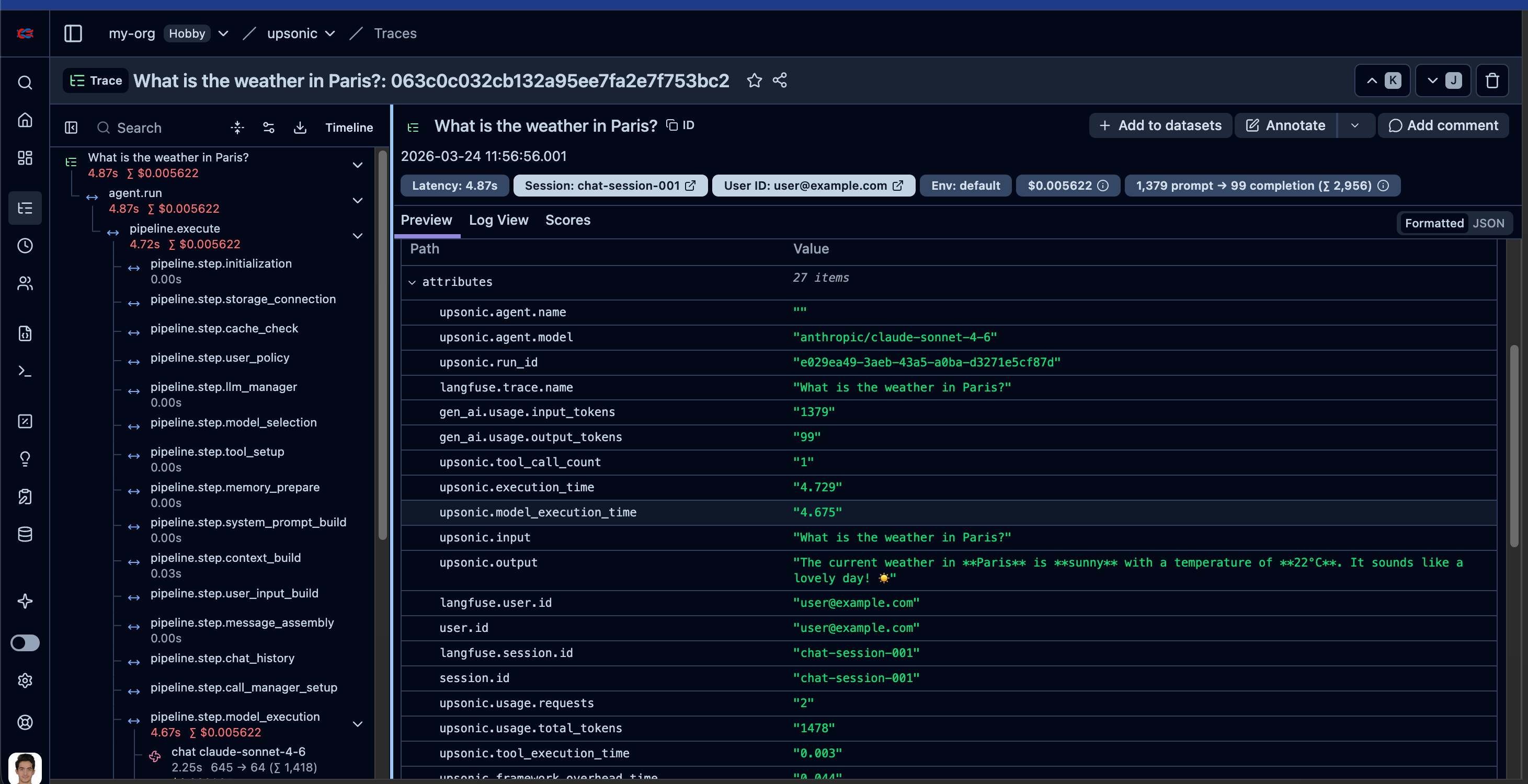
Langfuse trace with tool call spans
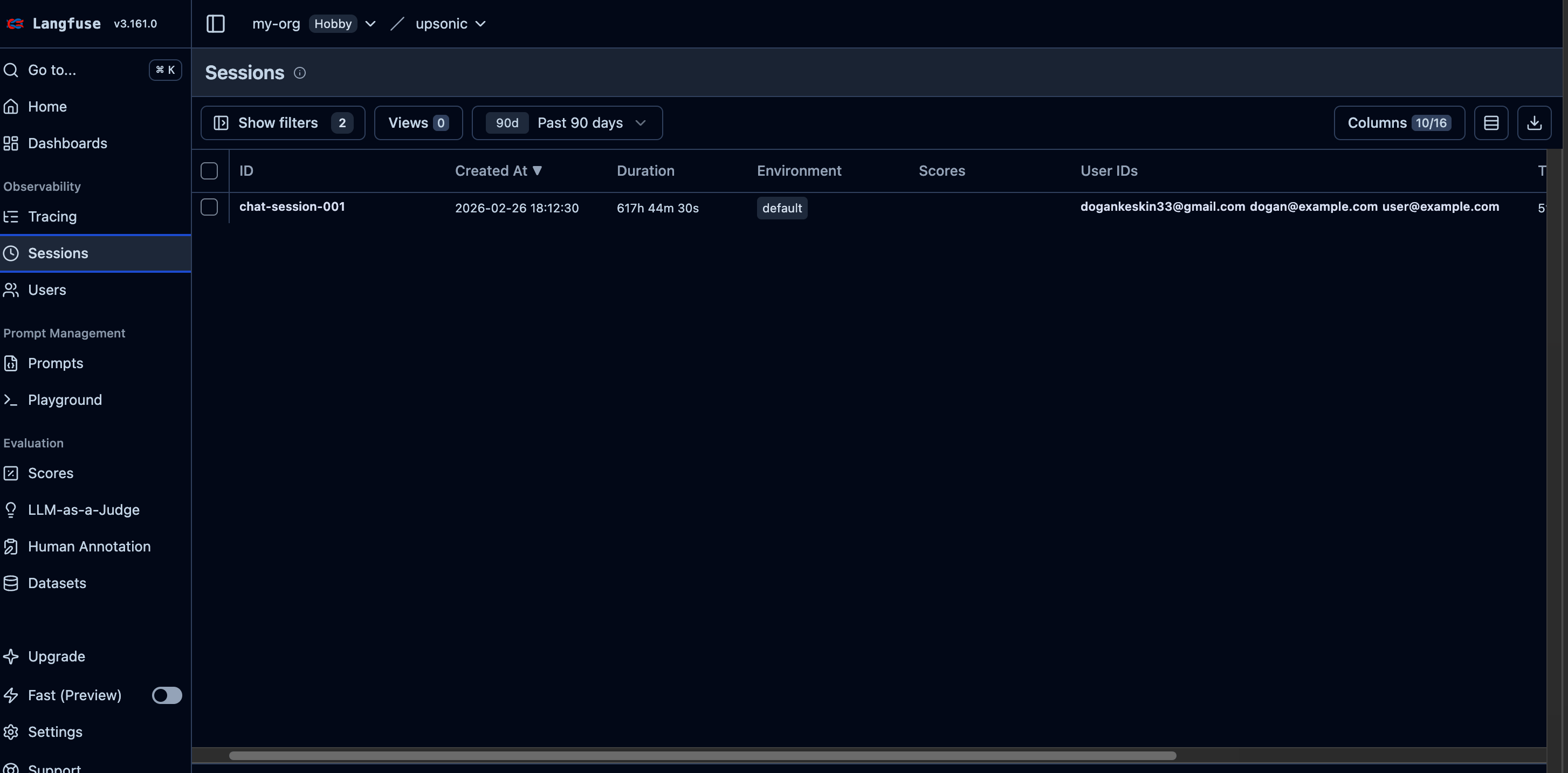
Langfuse session grouping view
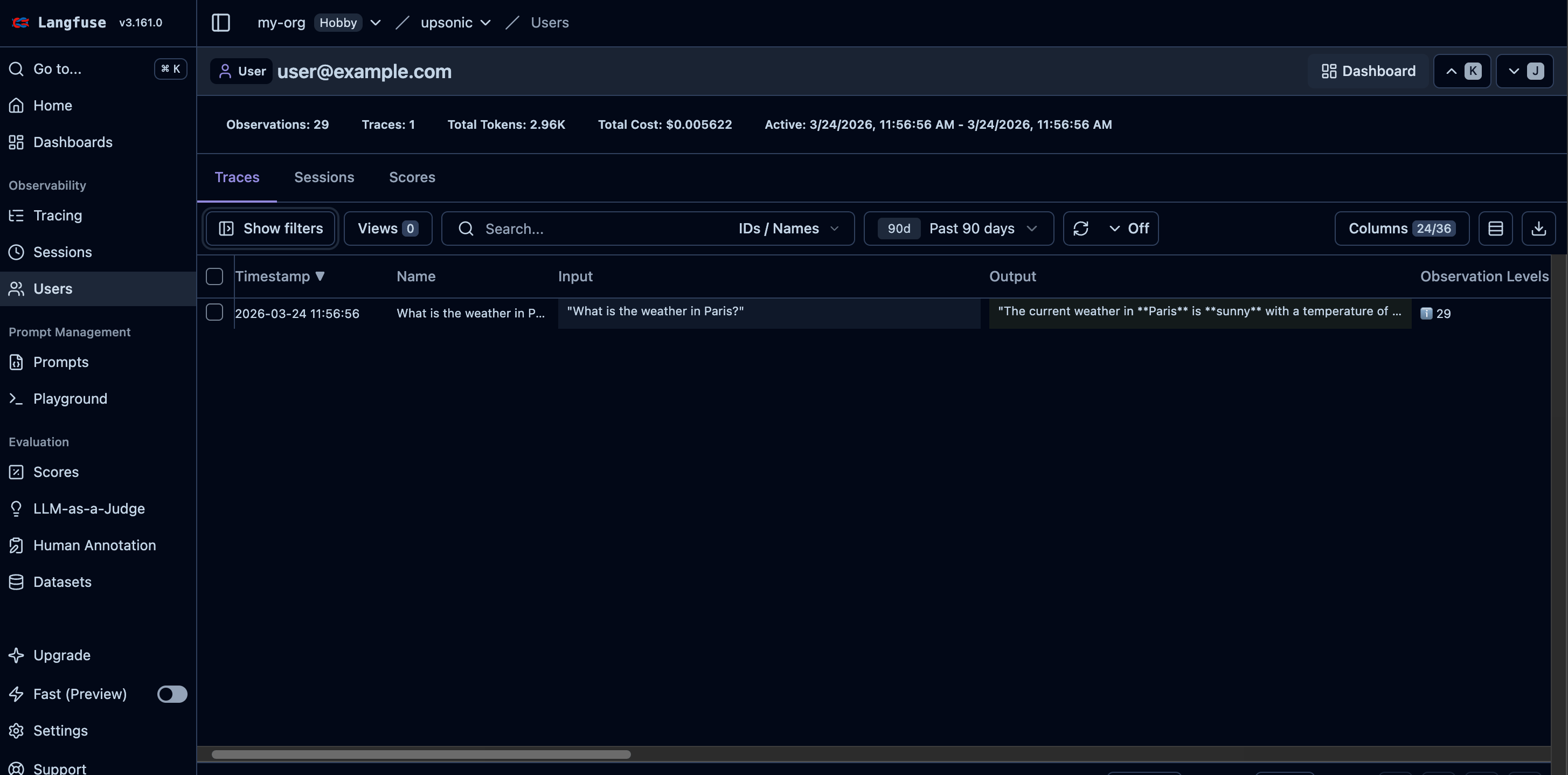
Langfuse user ID tracking on traces
Autonomous Agent Example
Autonomous agents make their own decisions about which tools to call and in what order — there is no predefined workflow. This makes tracing especially important: you need full visibility into every decision the agent made, which tools it invoked, and what results it got back. Langfuse gives you that observability out of the box. Here is a real-world example — an expense tracker bot that reads receipt images autonomously:If you want to see the full project with OCR tools, workspace setup, and sample receipts, check out the complete example: Expense Tracker Bot.
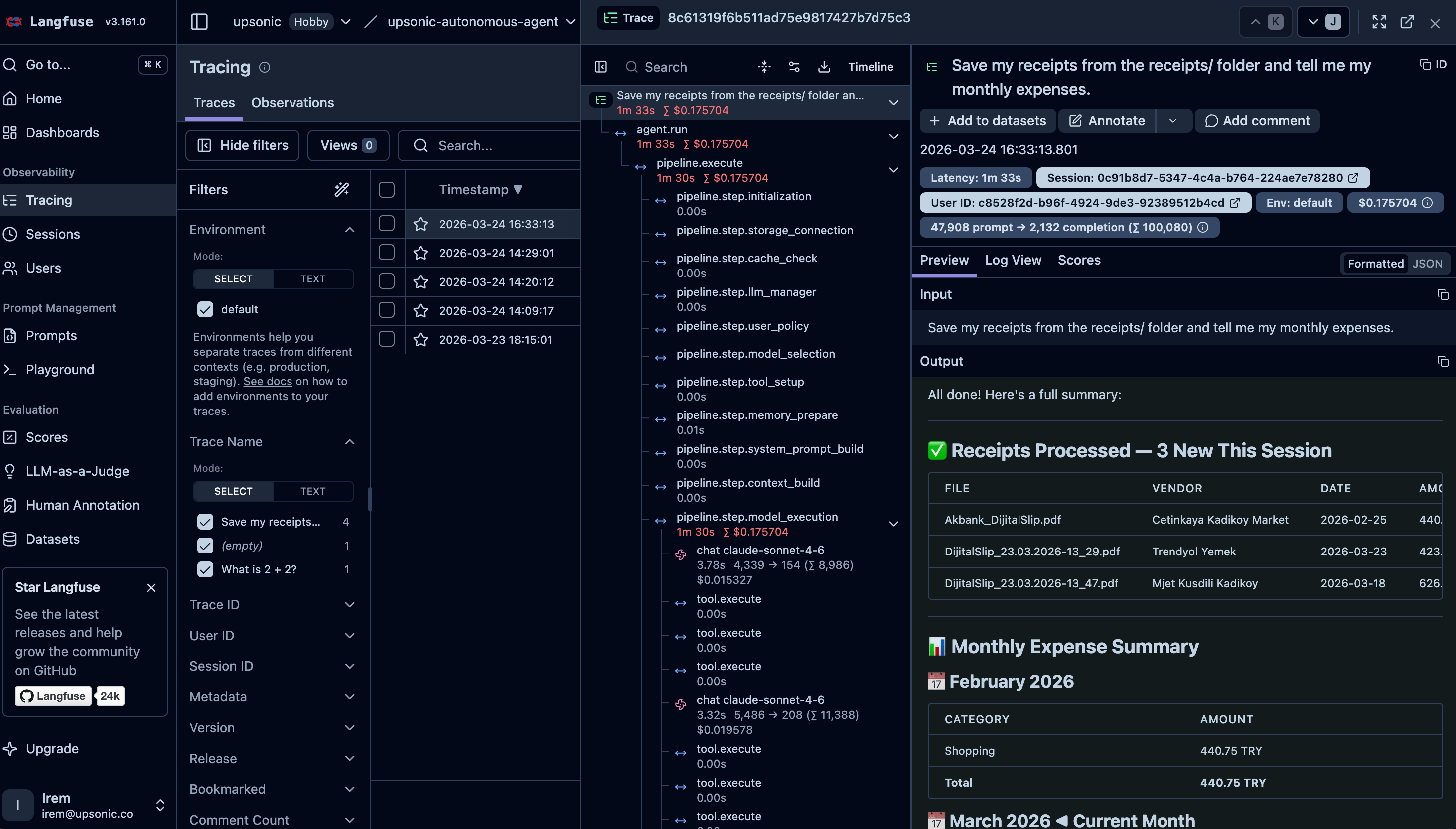
Langfuse trace overview — full pipeline visibility with input, output, cost, latency, and the agent's expense report
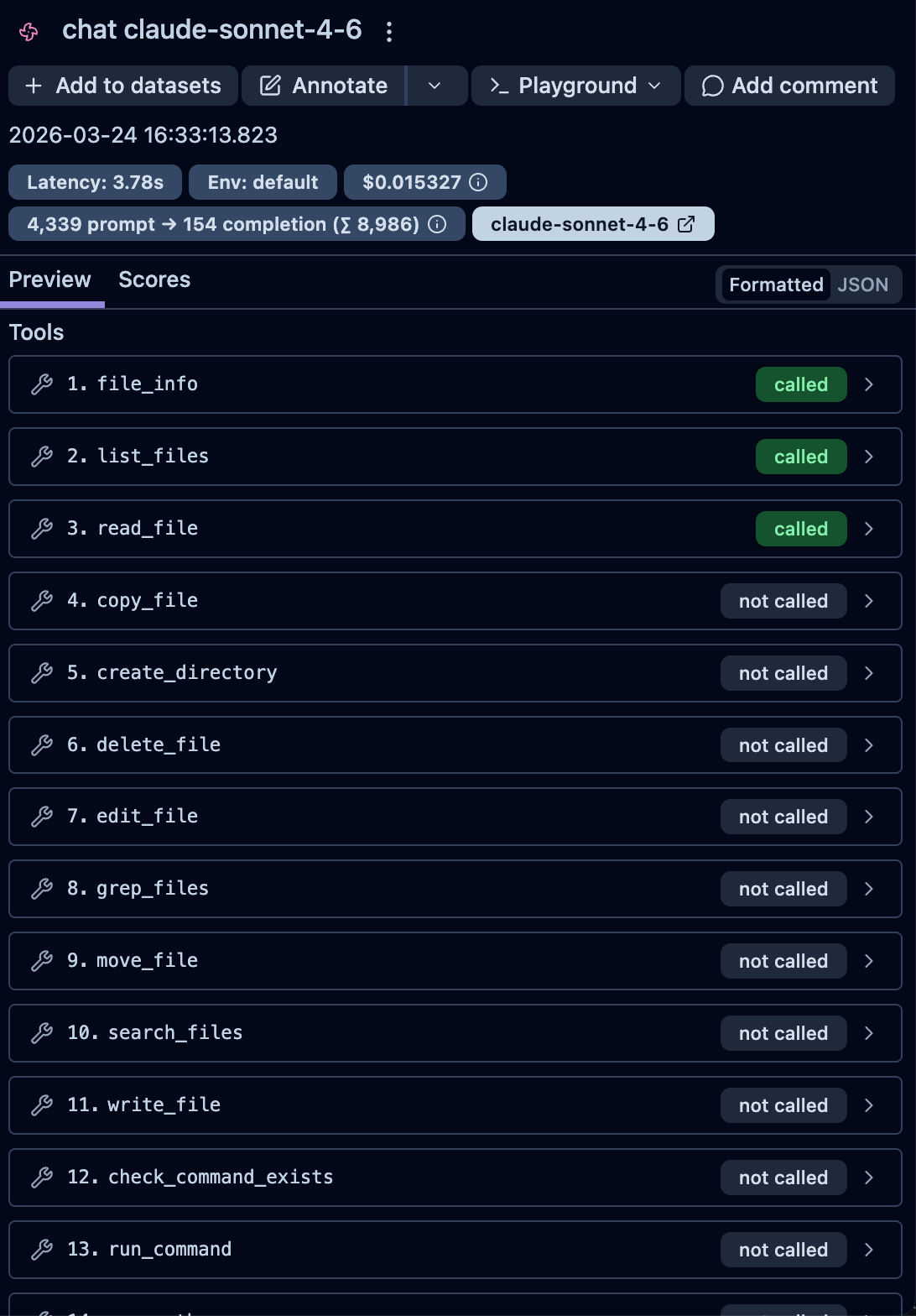
LLM generation detail — tool availability with called/not-called status for each tool
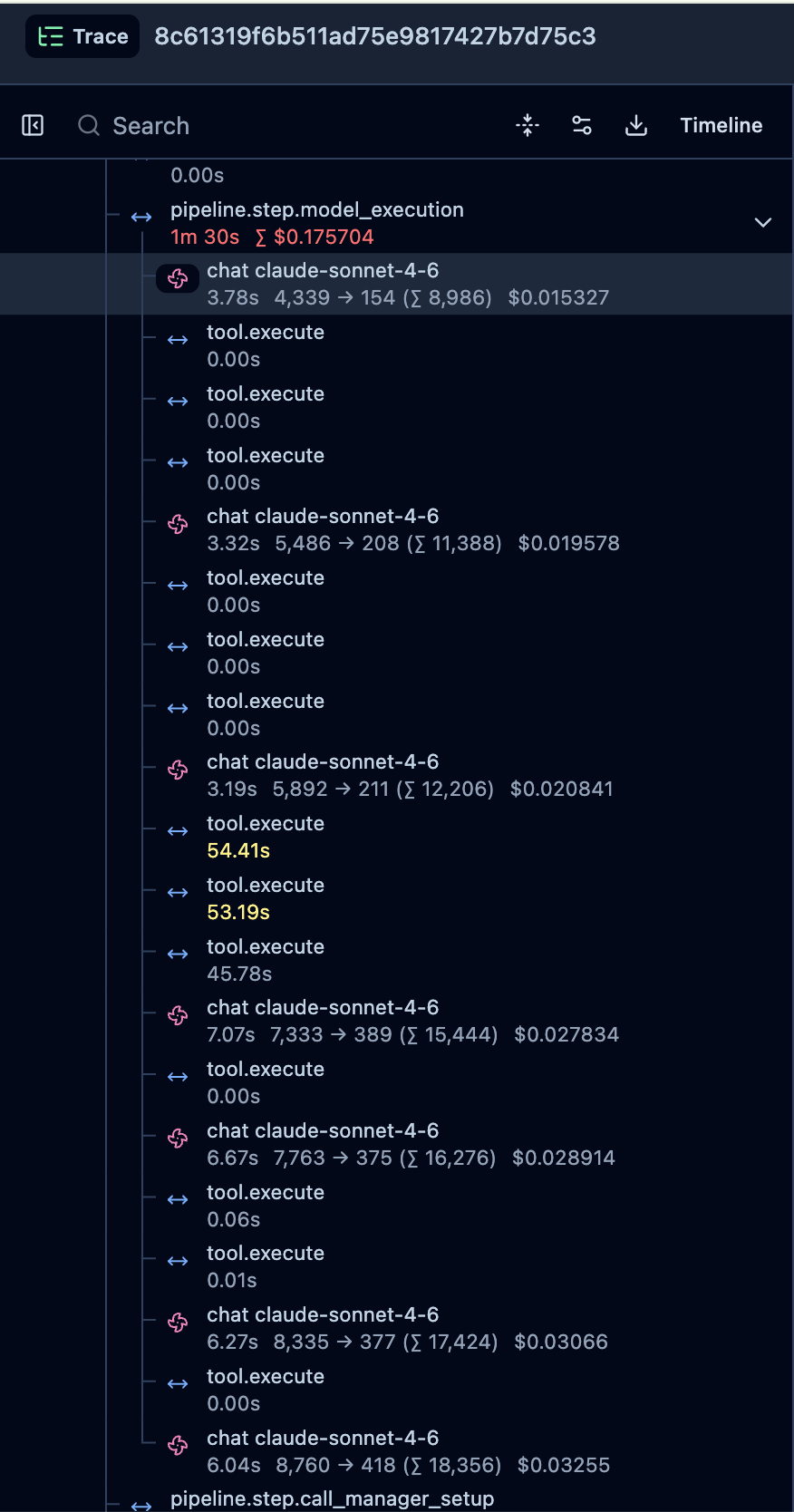
Trace timeline — every LLM call, tool execution, token count, and cost breakdown step by step
Usage with Evaluation
What is AccuracyEvaluator?
AccuracyEvaluator measures how well your agent’s output matches an expected answer. It uses a separate judge agent to score the agent-under-test on a scale of 0–10. You can run multiple iterations for statistical confidence. When connected to Langfuse, each evaluation is automatically logged as a dataset item, linked to the agent’s trace, and scored — giving you a complete audit trail of your agent’s accuracy over time.
For a deep dive into accuracy evaluation concepts, configuration options, and best practices, see the AccuracyEval Introduction.
AccuracyEvaluator with Langfuse Datasets
When you passlangfuse to AccuracyEvaluator, evaluation results are automatically:
- Logged as a dataset item
- Linked to the agent’s trace via a dataset run item
- Scored on the trace with the evaluation result
- Agent
- AutonomousAgent
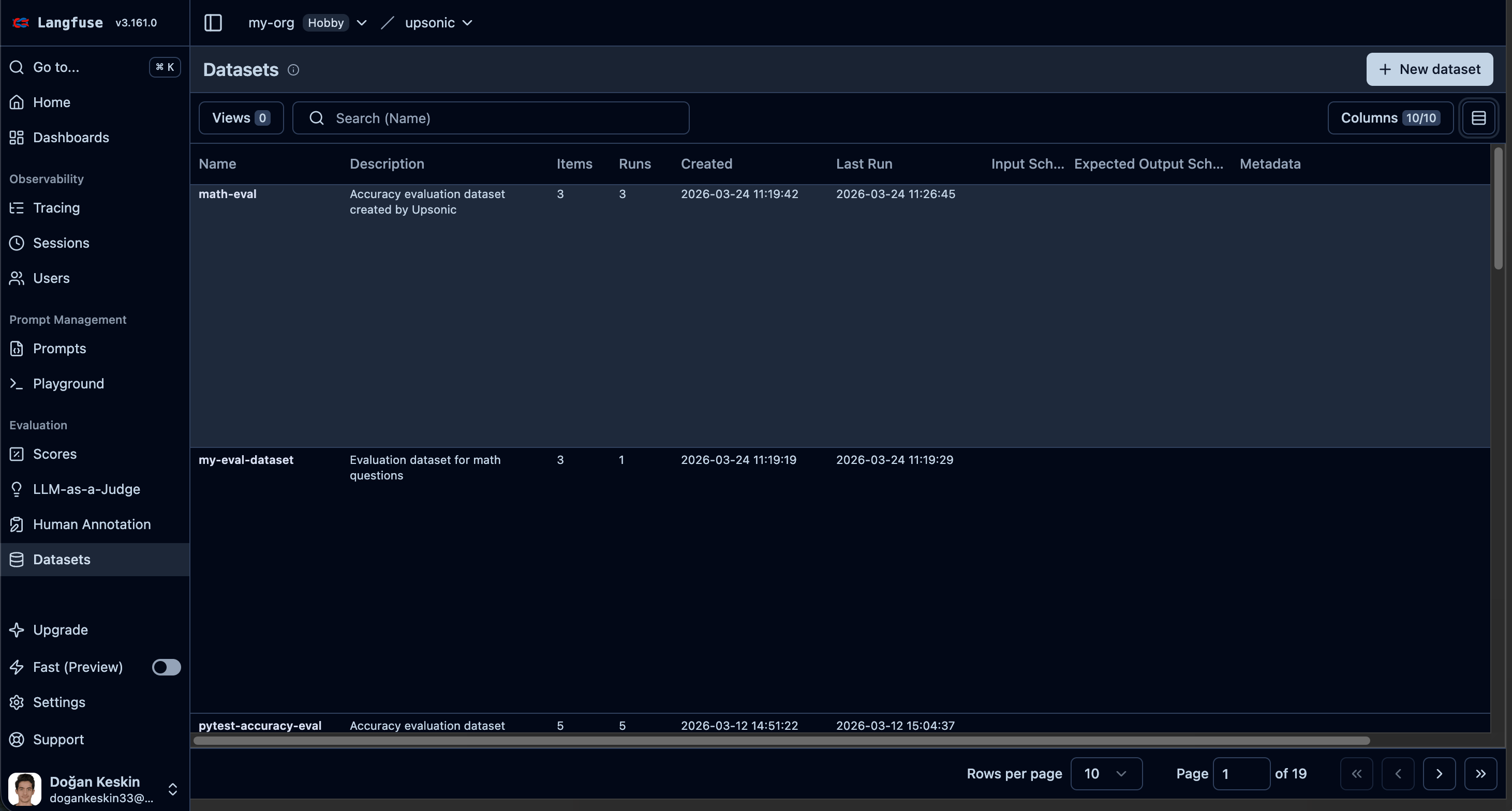
Langfuse dataset items and structure
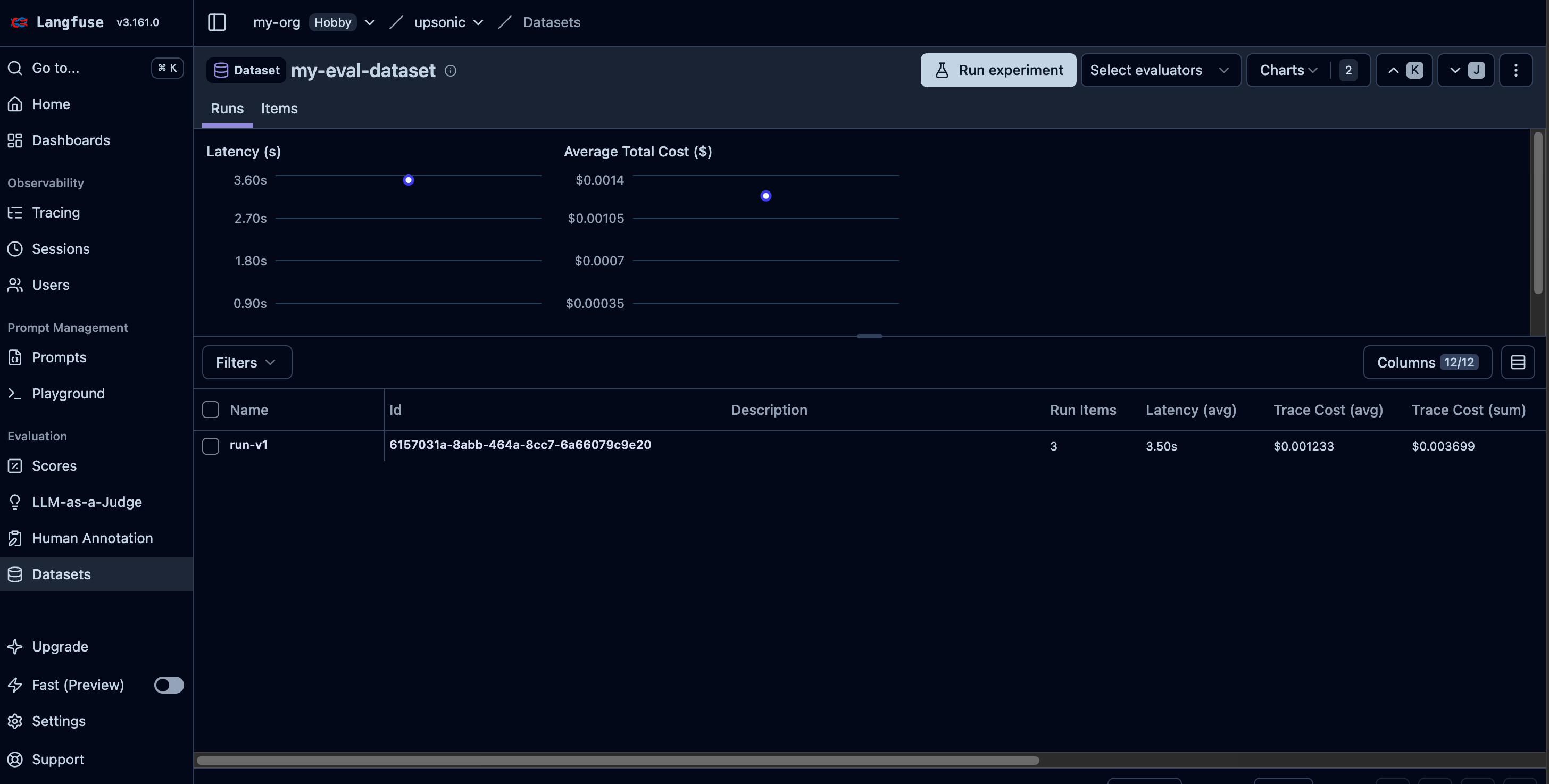
Langfuse dataset run linked to traces
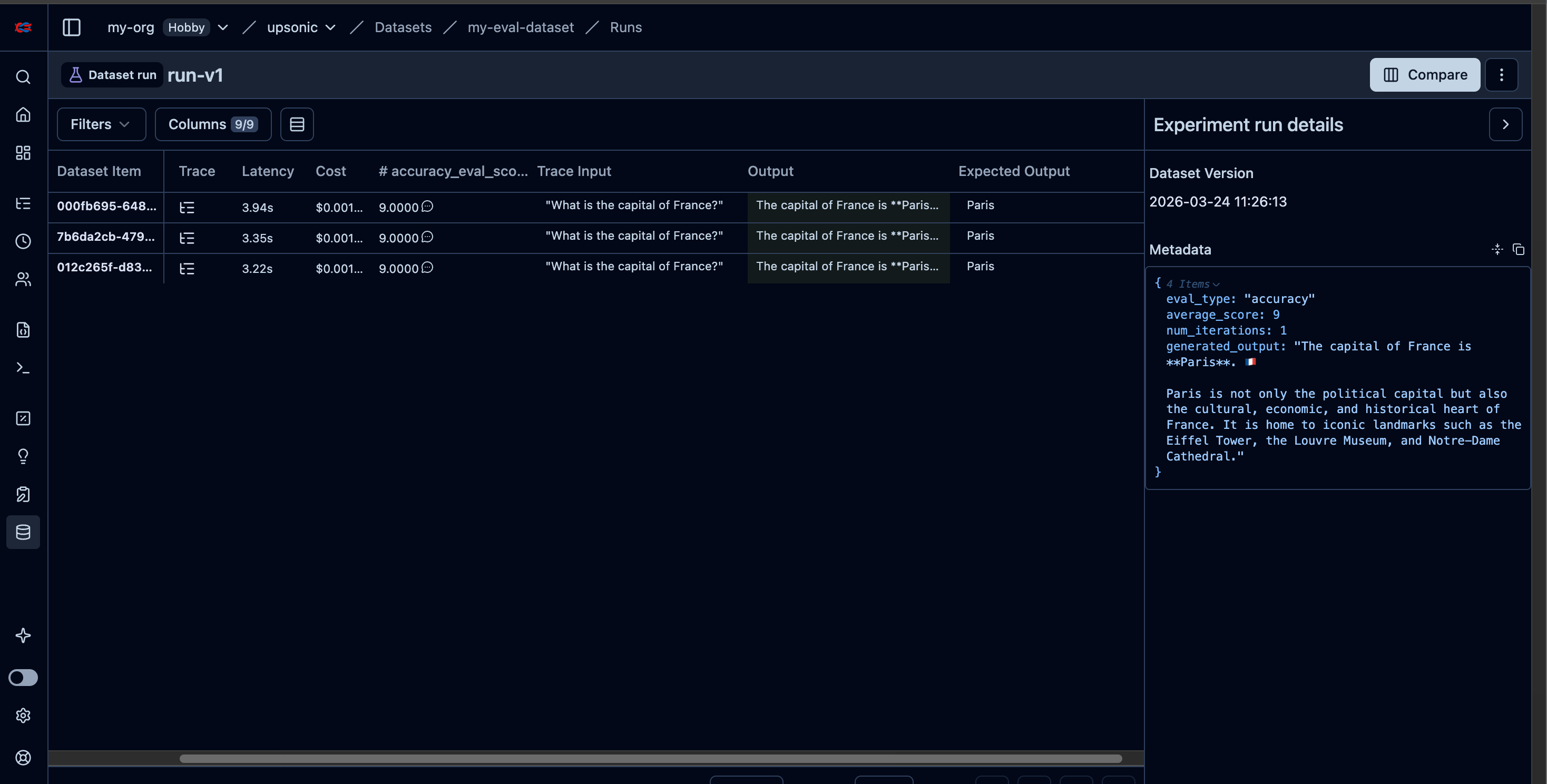
Langfuse dataset run results and scores
AccuracyEvaluator with Multiple Iterations
Run the same query multiple times to get statistical confidence:- Agent
- AutonomousAgent
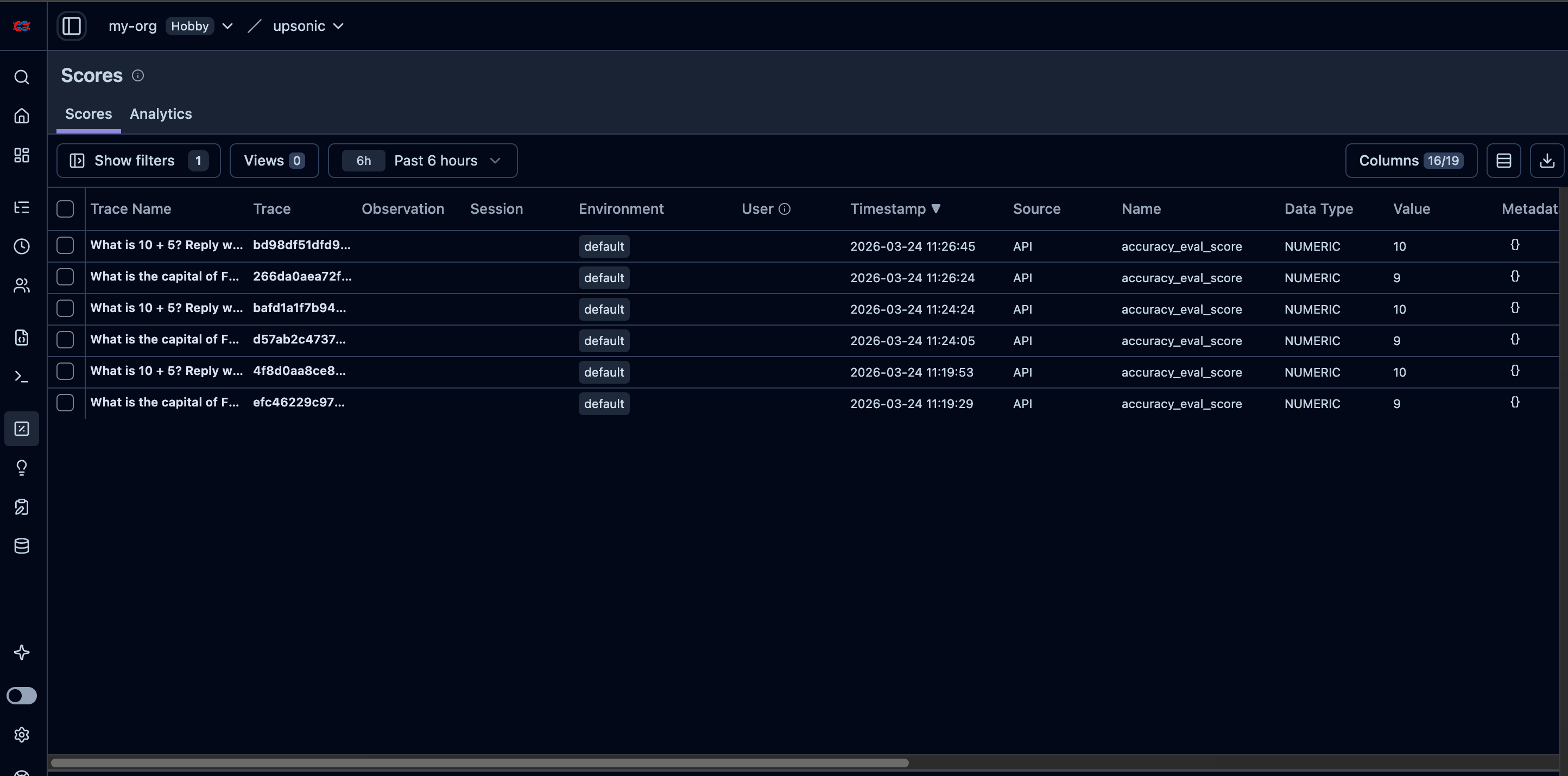
Langfuse trace showing accuracy_eval_score
AccuracyEvaluator Parameters
Advanced APIs
For direct access to Langfuse’s scoring, datasets, and annotation queue APIs, see the Advanced guides:- Scores — Add numeric, boolean, or categorical scores to traces
- Score Configs — Define validation rules for scores
- Datasets — Create datasets, add items, and link traces
- Annotation Queues — Create review queues for human evaluation
- Update Trace — Override trace output or metadata after a run
langfuse.shutdown()
Why call
langfuse.shutdown()? Langfuse sends traces via a BatchSpanProcessor that buffers spans and exports them every 5 seconds by default. When you call langfuse.shutdown(), it forces all buffered spans to be flushed to Langfuse before shutting down the provider.By default flush_on_exit=True registers a Python atexit handler that calls shutdown() automatically when the process exits. However, calling it explicitly at the end of your script is recommended for short-lived scripts because atexit handlers can be skipped in edge cases (e.g., SIGKILL, os._exit()).