



What is Scheduling?
Scheduling allows you to automate agent execution at specific times or intervals. Instead of manually calling your agent’s API, you can configure AgentOS to run your agent automatically based on your requirements. For detailed information about agent scheduling features, see the Agent - Scheduling section.Frequency-Based Scheduling
Simple interval-based execution for common use cases:- Hourly - Runs at the first minute of every hour (e.g., 16:00, 17:00)
- Daily - Runs at 00:00 every day
- Weekly - Runs at 00:00 every Monday
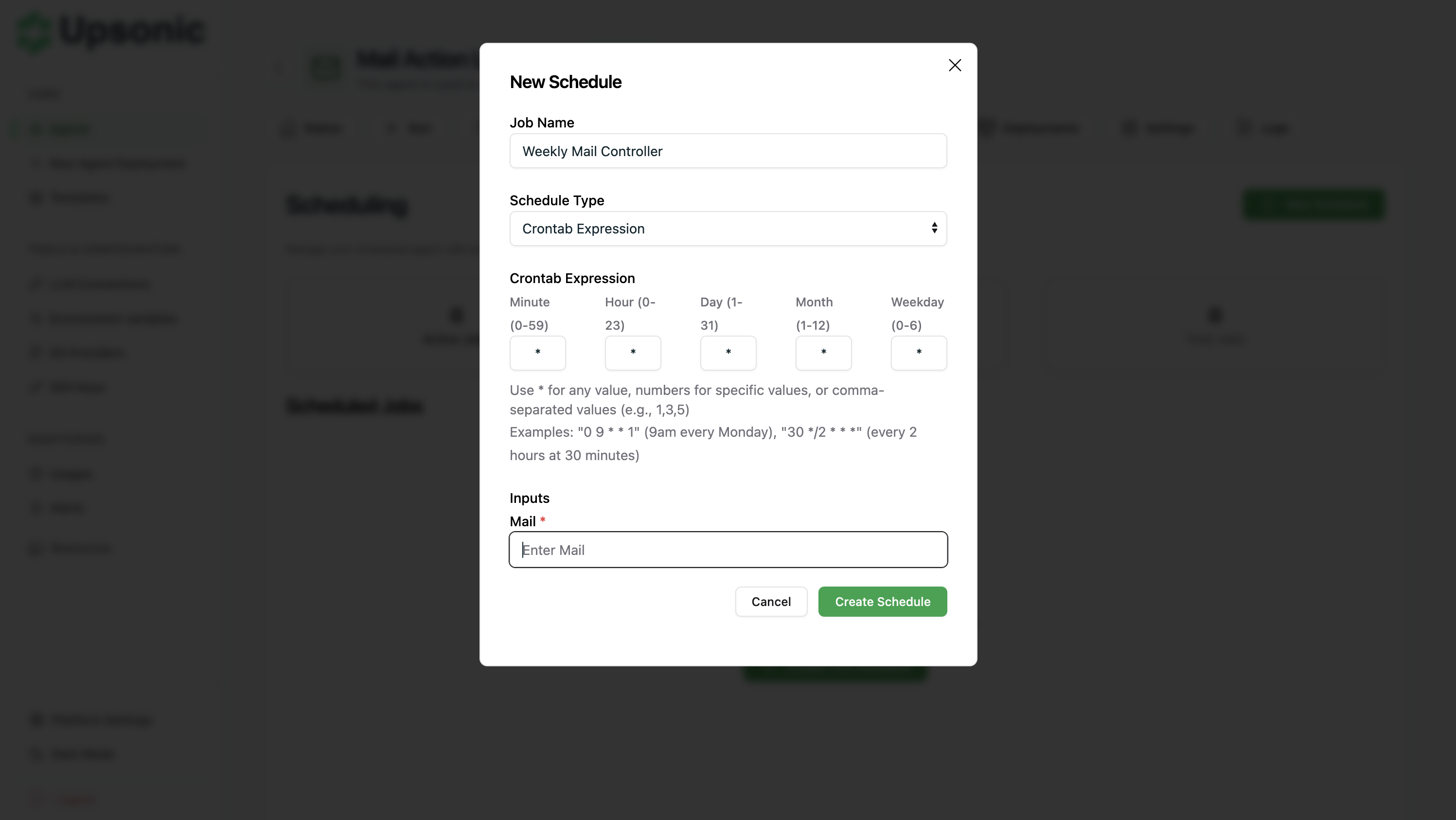
Crontab Expressions
For advanced scheduling needs, use cron syntax to define custom schedules:- Use
*for any value - Use numbers for specific values
- Use comma-separated values (e.g.,
1,3,5)
0 9 * * 1- 9am every Monday30 */2 * * *- Every 2 hours at 30 minutes0 0 * * 0- Midnight every Sunday
How to Configure
- Navigate to your agent’s Scheduling tab
- Click Create Schedule
- Choose scheduling type:
- Frequency - Select hourly, daily, or weekly
- Crontab - Enter custom cron expression
- Save the schedule