



What is AgentOS?
AgentOS is a production-ready platform that transforms your AI agents into deployable, scalable services. When you deploy an agent to AgentOS, the platform automatically:- Creates API endpoints - Your agent becomes accessible via REST API
- Manages infrastructure - Handles databases, message queues, and async workers
- Provides observability - Tracks metrics, costs, tokens, and execution history
- Handles deployments - Blue-green deployments, rollbacks, and versioning
- Scales your agents - Automatic scaling based on demand
Installing Upsonic Framework
Install the Upsonic Framework to build your agents:Starting an Agent Project
Create a new agent project using the Upsonic CLI:upsonic_configs.json- Agent configuration (required)main.py- Your agent code (required)
Building your Agent
Required Files
Every agent needs two files:upsonic_configs.json- Configuration filemain.py(or any.pyfile) - Agent implementation
Adding Dependencies
Add Python packages to your agent:upsonic_configs.json under dependencies.
Example Agent Code
Here’s a simple agent using the Upsonic Framework:Deploy your Agent to the Platform
AgentOS supports two deployment methods: Git and ZIP upload.Deployment Process
Step 1: Upload Agent Code
Upload your agent to AgentOS using one of two methods:- Git Provider - Deploy from GitHub, GitLab, or Azure Repos
- ZIP Upload - Direct upload without Git integration
Step 2: Configure Deployment
Specify deployment configuration:- Environment Variables - Set custom env vars for your agent
- LLM Connection - Select the AI model to use
- Machine Specification - Choose CPU and RAM allocation
Step 3: Start Deployment
Click Deploy to start the deployment process. AgentOS will:- Pull your code from Git or extract the ZIP
- Install dependencies from
upsonic_configs.json - Create containers and allocate resources
- Start your agent and assign an API endpoint
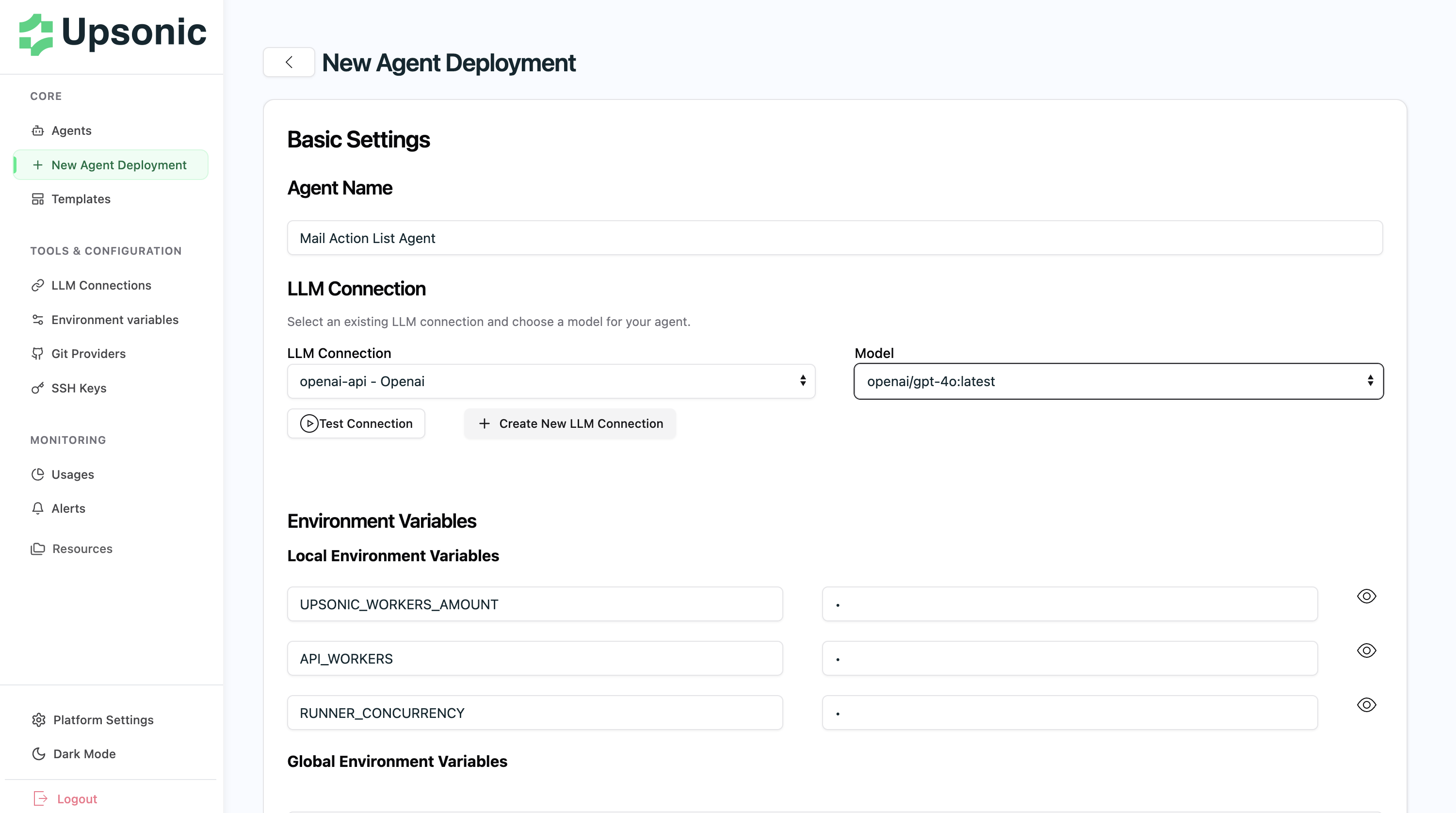
Deploy from Git Provider
Deploy directly from your repository:- Push your agent code to your Git repository
- In AgentOS, go to New Agent Deployment
- Select Deploy from Git
- Choose your repository and branch
- Configure environment variables and LLM connection
- Click Deploy
Deploy from ZIP
Deploy without Git integration:- Compress your agent project folder into a ZIP file
- In AgentOS, go to New Agent Deployment
- Select Deploy from ZIP
- Upload your ZIP file
- Configure deployment settings
- Click Deploy